
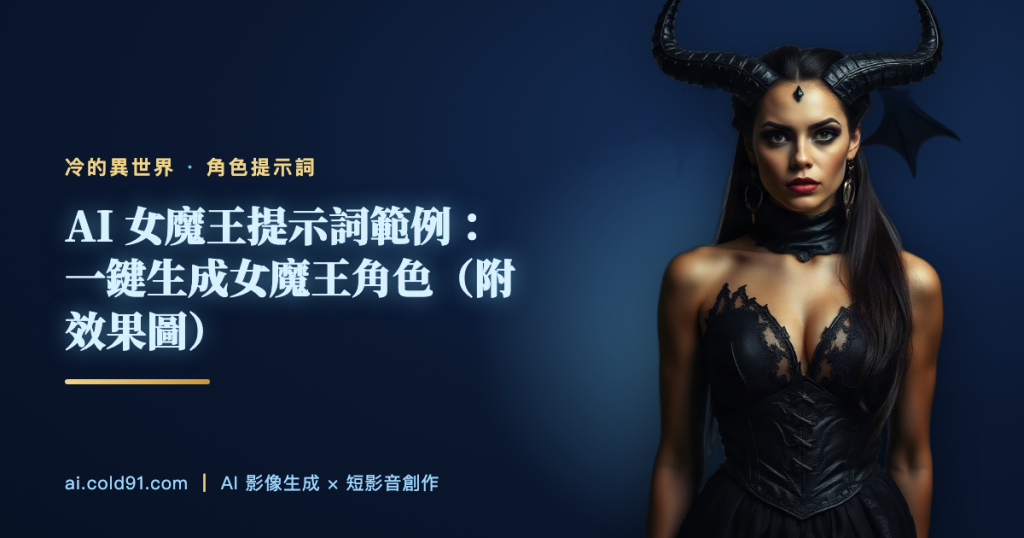
AI Demon Queen Prompt: Copy-Paste Example (With Sample Images)
This guide shows you how to generate a polished “Demon Queen” character with a single prompt — copy-paste ready, with a line-by-line breakdown and style variations.
🎯 Main Prompt (Copy & Paste)
Features: stunning demon queen, horns, dark ornate gown, demonic runes, regal.
Scene: demon realm palace, purple flame.
Lighting: dark purple magic light, cinematic.
Composition: half-body or three-quarter shot, 85mm lens, shallow depth of field.
Style: fantasy illustration, ultra-detailed, high quality.
🔍 Prompt Breakdown: Why It’s Written This Way
| Element | What this prompt uses | Why |
|---|---|---|
| Subject | Demon Queen | Naming the identity clearly first helps the model lock onto the right direction |
| Appearance | stunning demon queen, horns, dark ornate gown, demonic runes, regal | Face, silhouette and outfit details decide how recognizable the character is |
| Scene | demon realm palace, purple flame | The background carries the worldbuilding and mood |
| Lighting | dark purple magic light, cinematic | Lighting sets the texture and emotional tone |
| Camera | half-body or three-quarter shot, 85mm lens, shallow depth of field | Softens the background and pushes focus onto the character |
📜 Character Background
Every world needs a character like the Demon Queen — one whose presence alone makes the audience lean in. Familiar as the archetype is, the details are what make any given version unforgettable.
Rather than an over-the-top setup, the Demon Queen earns its place through small, believable details — the kind of charm that builds slowly and lasts.
In a world that looks ancient but runs on technology far ahead of its time, the Demon Queen lives out its own version of “ordinary” — and that’s exactly what gives this world its sense of warmth and realism.
If you had to write the Demon Queen a short story, the classic beat would be this: an unremarkable day that quietly reveals a side of it nobody expected.
Some say a character like this stays memorable because there’s always a small reflection of yourself somewhere in it — a resonance that’s hard to replace.
Consider giving the Demon Queen an unexpected side-arc in your own world — contrast is what makes a character feel three-dimensional and easy to remember.
It also works well as a recurring presence alongside your protagonist — building audience investment slowly through repeated encounters is a solid long-term strategy.
🎨 Variations
① Demon Queen Close-Up
② Demon Queen Full-Body Dynamic Pose
③ Demon Queen Dramatic Lighting
💡 Tips for Generating This Character
- If the face keeps changing, lock the “features” line and only change the scene and pose.
- To keep the same character across multiple images: generate one version you like first, then use it as a reference image and extend it with Nano Banana 2.
- You can switch art styles (realistic / anime / fantasy), but keep the Demon Queen’s key features intact or the character will lose its identity.
🤖 ChatGPT / DALL·E Version
You can also generate this with ChatGPT’s built-in image tool — no need to switch platforms. Just paste this into the chat:
🎬 12-Second Short-Video Script (Cold’s Isekai Universe)
Want to turn this character into a short video? Here’s a ready-to-use 12-second storyboard script in Cold’s Isekai’s signature deadpan-comedy style:
The camera cuts to Cold Cold’s face. Out of nowhere, the “Demon Queen” appears — every detail of its stunning demon queen sharp and clear. Cold Cold barely reacts.
[DIALOGUE & ACTION]
Demon Queen: “…Who are you?”
Cold Cold: “Meow.” (activates cat-meow technique; opponent freezes in confusion)
[CLOSING NOTES]
No subtitles | End on Cold Cold’s signature cat-meow sound effect, quick fade out | Built for a fast 12-second cut
Frequently Asked Questions
Q1: Does this work with Midjourney / FLUX too?
Yes — paste it in as-is. Midjourney users can add –ar 2:3 –style raw at the end.
Q2: How do I keep the face consistent?
Lock the feature description, only change the pose and scene, and generate a few variations to pick the best one.
Q3: How do I turn this into a short video?
Once you have an image you like, drop it into Kling or Seedance and add a simple camera movement instruction to bring it to life.